
Apple CarPlay Installation in Edison for vehicles needing safer, hands-free smartphone access while driving
Phone Integration That Mirrors Your Interface
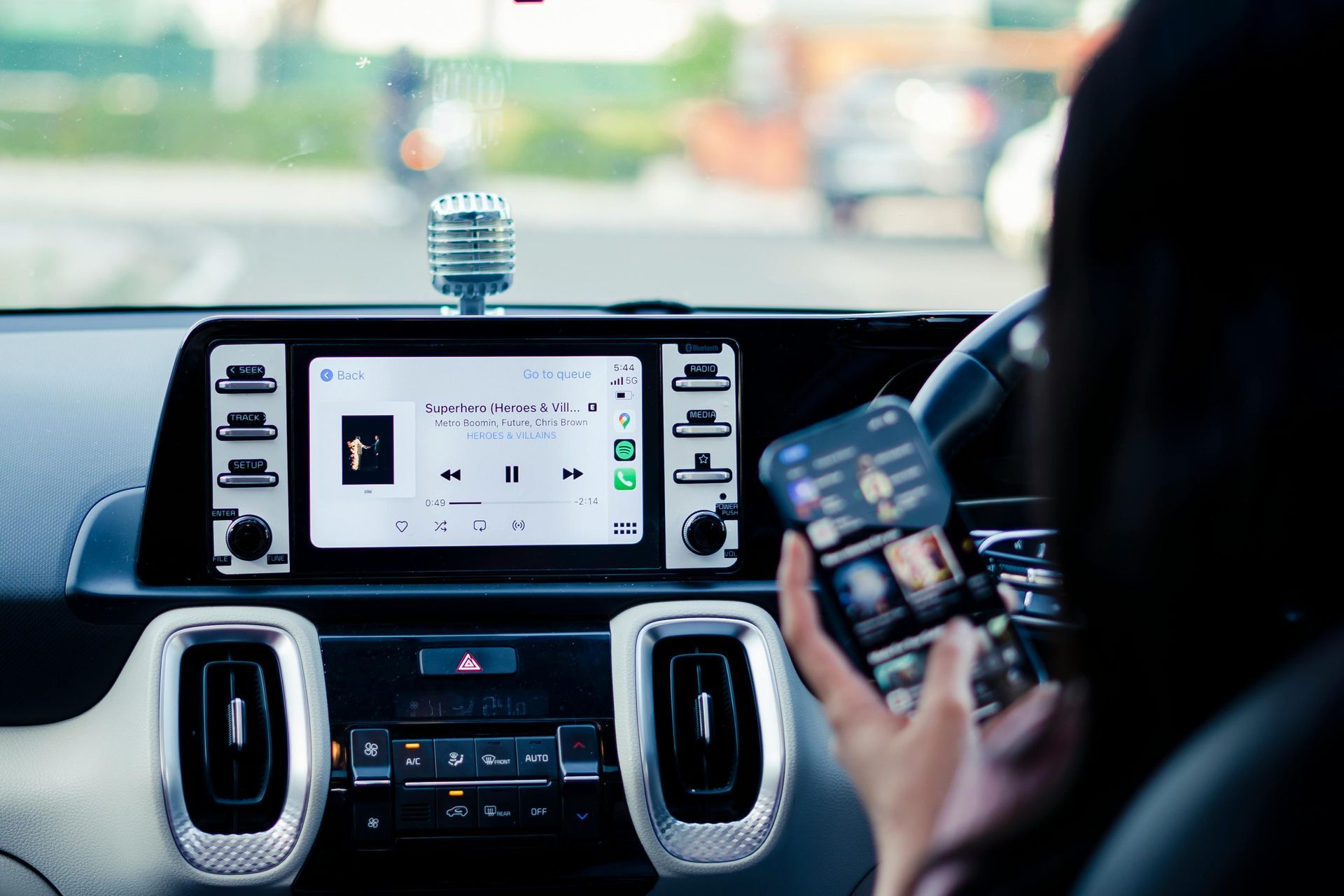
Handheld phone use while driving creates distraction from visual attention to the road, manual interaction with small touchscreens, and cognitive load from navigating app interfaces not designed for in-motion use. Apple CarPlay addresses these risks by projecting your iPhone's navigation, messaging, and music apps onto the vehicle's display where you control them through voice commands, steering wheel buttons, or a larger touchscreen positioned within your forward sight line. Hi fi audio installs CarPlay-compatible receivers in Edison vehicles, integrating with factory steering controls and backup cameras so the system functions as a seamless extension of your existing controls rather than a separate device demanding divided attention.
Installation replaces the factory head unit with a receiver that includes either wired USB or wireless CarPlay connectivity, automatically launching the interface when your phone comes within range or connects via cable. The system routes navigation prompts, phone calls, and Siri responses through your vehicle speakers at levels that adjust with road noise, and it displays turn-by-turn directions, incoming messages, and music artwork on a screen sized for visibility from the driver's seat.
Schedule a compatibility assessment to confirm which CarPlay receivers fit your dash opening and whether your iPhone model supports wireless or requires wired connection.
What Proper CarPlay Integration Requires
The installation process involves removing factory trim to access the radio cavity, connecting a vehicle-specific wiring harness that preserves factory speaker connections and steering wheel controls, and mounting a dash kit that fills the gap between the new receiver and your factory bezel. Antenna adapters ensure that AM/FM and satellite radio signals route properly, and microphone placement positions the external mic where it captures voice commands without wind noise or road interference.
Once configured, you'll notice your iPhone connects automatically when you start the vehicle, familiar app icons appear on the receiver touchscreen in the same layout as your phone, and navigation routing happens through Apple Maps or third-party apps like Waze without requiring you to mount a separate device on the windshield. Voice commands trigger through steering wheel buttons or by saying "Hey Siri," allowing you to send messages, change music, or reroute navigation without looking away from traffic.
The integration maintains access to vehicle functions that existed before installation, including backup camera display when you shift into reverse, factory USB ports for passenger device charging if those remain separate from the CarPlay connection, and satellite radio subscriptions that continue working through the new head unit. Wireless CarPlay systems eliminate the need to plug in your phone each trip, though wired connections provide simultaneous charging and typically exhibit lower latency for screen updates during navigation.
What Property Owners Usually Ask
Drivers considering CarPlay installation often ask about compatibility with their current vehicle and phone, and how the system compares to using a phone mount.
What iPhone models work with Apple CarPlay systems?
CarPlay requires iPhone 5 or newer running iOS 7.1 or later. Wireless CarPlay functionality requires iPhone models from the iPhone 6 forward and a compatible receiver with WiFi and Bluetooth connectivity for the wireless handshake.
How does CarPlay installation affect my existing vehicle features?
The system retains factory steering wheel controls, backup camera display, and satellite radio functionality through integration harnesses and adapters. Some vehicles in Edison with premium factory audio systems require additional modules to maintain amplifier communication, but core vehicle functions remain operational.
What makes CarPlay safer than using a phone mount and Bluetooth connection?
CarPlay consolidates all phone functions onto a single interface designed for in-vehicle use, with larger touch targets, voice control for most functions, and automatic "Do Not Disturb" modes that limit notifications while driving. The system also integrates with your vehicle's steering wheel and display positioning rather than requiring you to look down or to the side at a mounted phone.
When should I choose wireless CarPlay over a wired USB connection?
Wireless systems make sense if you frequently make short trips where plugging in cables becomes tedious, but wired connections charge your phone simultaneously and avoid the battery drain that wireless communication creates. Wired systems also respond faster to touch inputs during navigation because they use a direct data connection rather than WiFi transmission.
How does installation differ between single-DIN and double-DIN dash openings?
Single-DIN openings typically found in older vehicles require receivers with motorized flip-out screens to provide adequate touchscreen size for CarPlay's interface, while double-DIN openings accommodate fixed 6.5 to 9-inch displays. Hi fi audio measures your dash configuration and recommends receivers that maximize screen size without requiring permanent modifications to factory trim.
Hi fi audio installs CarPlay systems that match your dash dimensions and preserves factory features you depend on, from climate control integration to parking sensors. Request an installation consultation to review wireless and wired receiver options compatible with your iPhone model and vehicle architecture.